How I Use Agents Without Losing Ownership of My Code
How I Use Agents Without Losing Ownership of My Code
By Jake Ortega
7 min read
A practical look at building an agent workflow that makes you faster — without turning your codebase into AI slop.

- Authors

- Name
- Jake Ortega
Most AI workflow content is either overhyped or too abstract to apply in real codebases. This is not about using more AI. It is about using it with constraints.

The problem I kept seeing
The pattern showed up often enough to bother me. I kept seeing it across dev communities and engineering posts: teams shipped faster with AI, then paid for it in cleanup. A few days later they were back in the same code, fixing behaviour that looked correct at first glance, cleaning up props that worked but broke API contracts, and correcting ARIA that had been guessed instead of understood. The feature looked done on Friday, but Monday and Tuesday became cleanup days.
The speed gain was real. The cleanup cost was real too, and it usually landed after the demo, when nobody was watching.
That pattern pushed me to build an actual workflow. Without structure, AI creates the exact problem it is supposed to solve.
My setup — agency-agents as the baseline
I started with agency-agents, a registry of specialised AI agent personalities. Each one has a clear role, expected deliverables, and constraints, so they do not behave like generic assistants with no context. A Code Reviewer agent should think differently from a Frontend Developer agent, and that difference is intentional.
In Diwa Design System, I use a curated subset with project-specific guardrails. I keep the Copilot-compatible setup aligned with the same project rules and conventions in VS Code.
The agents I reach for most often are:
- Frontend Developer — component scaffolding, prop wiring, Shadow DOM patterns
- Technical Writer — documentation clarity, structure, and wording passes before publishing
- Code Reviewer — a second pass before I push, looking for things I would miss
- Accessibility Auditor — ARIA scaffolding, focus management templates
- Evidence Collector — tracing decisions back to constraints, useful when something feels off
- Reality Checker — the agent most likely to push back on a bad idea
Named agents with defined behaviour make the workflow repeatable. I am not re-explaining everything every session, and the agent already understands the type of task.
The project — a real codebase, not a tutorial
The product I am working on includes a framework-agnostic design system built on Web Components and shared CSS tokens. It has a strict token system, so there are no hardcoded hex values or magic pixel sizes, and everything goes through token variables. Shadow DOM boundaries are explicit. WCAG 2.2 AA is the minimum. Components ship with tests for rendering, interaction, and state handling.
These are real constraints that matter to consumers of the library, not just nice engineering exercises. That made this a good environment to see where agents help and where they fall short. There is no room for shortcuts.
What agents actually help with
Agents help most with clearly defined, repetitive work.
Boilerplate with constraints. New components usually follow a consistent structure: component class, types file, styles file, utils file, and spec files. Doing that manually takes me around 20 to 30 minutes. With agents, that drops to a few minutes for a usable starting point. A prompt like "generate a diwa-badge component following the diwa-button structure" gives me something usable very quickly. It is never final, but it follows the correct pattern and removes most of the setup overhead.
Consistency checks. Agents are good at spotting drift from established patterns, like a hardcoded #1a1a2e where a design token should be used, or a component using px when the rest of the system uses spacing tokens. I catch many of these myself, but not all, so this extra pass is useful.
Test coverage loops. When a test fails, I paste the output back to the agent and ask for a diagnosis. It is not always right, but it narrows the search by mapping the error to likely causes. That speeds up the loop. I still do the actual debugging, but I spend less time staring at failures and guessing.
Where I stay in control
Some decisions I do not hand off under any circumstances.
API decisions. Prop names, event shapes, and component interfaces are long-term choices in a design system. Renaming is expensive. Early on, I let one naming convention settle too early. Correcting it later (diwaChange should have been change, and diwaUpdate should have been update) meant touching consumers, tests, and docs. An agent would have continued that pattern without questioning it. That is where mistakes compound. I own that cost, so I make that decision myself.
Accessibility judgment. An agent can scaffold ARIA for known patterns and check obvious cases, like button labels or modal focus trapping on paper. It cannot use a screen reader to understand what real users hear. It also misses cases where labels are technically present but still confusing. Keyboard and assistive-tech testing stay with me.
Architecture. Shadow DOM boundaries, token hierarchy, output target configuration, and wrapper generation require a full system view. Agents work from prompt context, not full product context. If these decisions are wrong, the undo cost is high.
Voice. Any documentation, commit message, or comment from an agent is a draft. I always edit it. Otherwise it can sound safe and generic instead of useful and clear.
My rules for avoiding AI slop
These come from mistakes I already made.
Run a strict delivery loop. At first I skipped planning and ticket creation, and the result was predictable: I kept revisiting half-baked implementations. This is the workflow I use now:

- Start with the raw idea and ask AI for an opinion.
- Ask AI to criticise the idea, including risks, failure modes, and hidden complexity.
- Refine the problem and solution boundaries until they are explicit.
- Turn the refined direction into an execution plan.
- Break that plan into actionable tickets small enough to test in isolation.
- Work one ticket at a time with the relevant agent role for that ticket.
- Apply project governance checks before moving to the next ticket.
This loop stops me from jumping between half-finished tasks and avoids the usual outcome: fast generation now, expensive cleanup later.
Scope the prompt tightly. "Add a loading prop to diwa-button following the disabled prop pattern" produces a useful result, while "Improve my button component" mostly produces noise. The more constrained the instruction, the more the output matches what I actually want.
Tests before commit. If tests pass and the diff looks right, it ships. If tests fail, I debug first before asking the agent again. Agents can generate code that looks fine in a quick skim but still fails at runtime. Tests are the safety layer.
Governance gates. In my workflow, I run checks before every commit:
npm run lint         # catches style and static issues early
npm run test         # validates behavior and regressions
npm run type-check   # catches contract and typing drift
These checks exist partly because agents drift. They follow prompts, not unstated system rules. Automated gates catch drift that code review can miss.
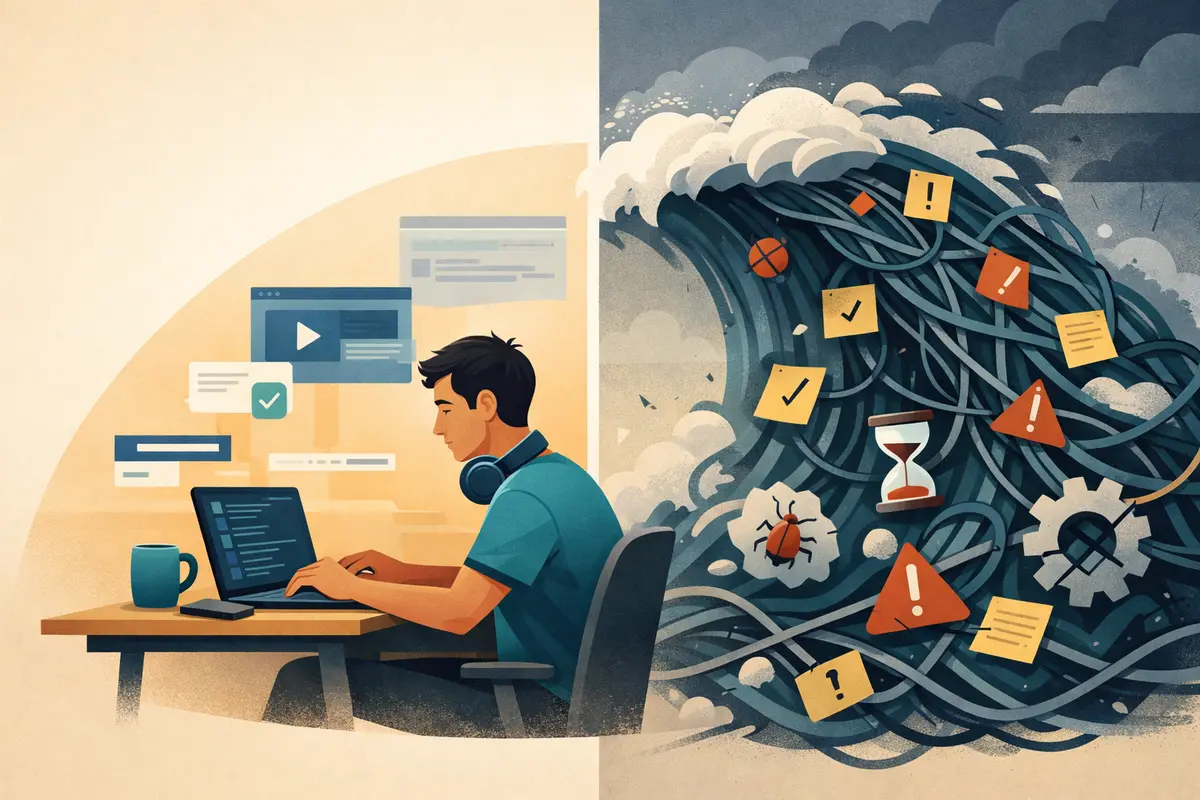
Read every diff. Agent output is fast, but careful review is not optional. Quiet mistakes happen: inverted conditionals, almost-correct token variables, or tests that pass for the wrong reason. If I miss those, I pay later.
Closing
The point is not that agents are impressive. The point is that most AI-related cleanup is a workflow problem. An undisciplined setup creates the same mess it was supposed to prevent. A disciplined setup compresses repetitive work and protects the decisions that require judgement.
In Diwa Design System, the workflow combines agent configuration, quality gates, and component conventions.