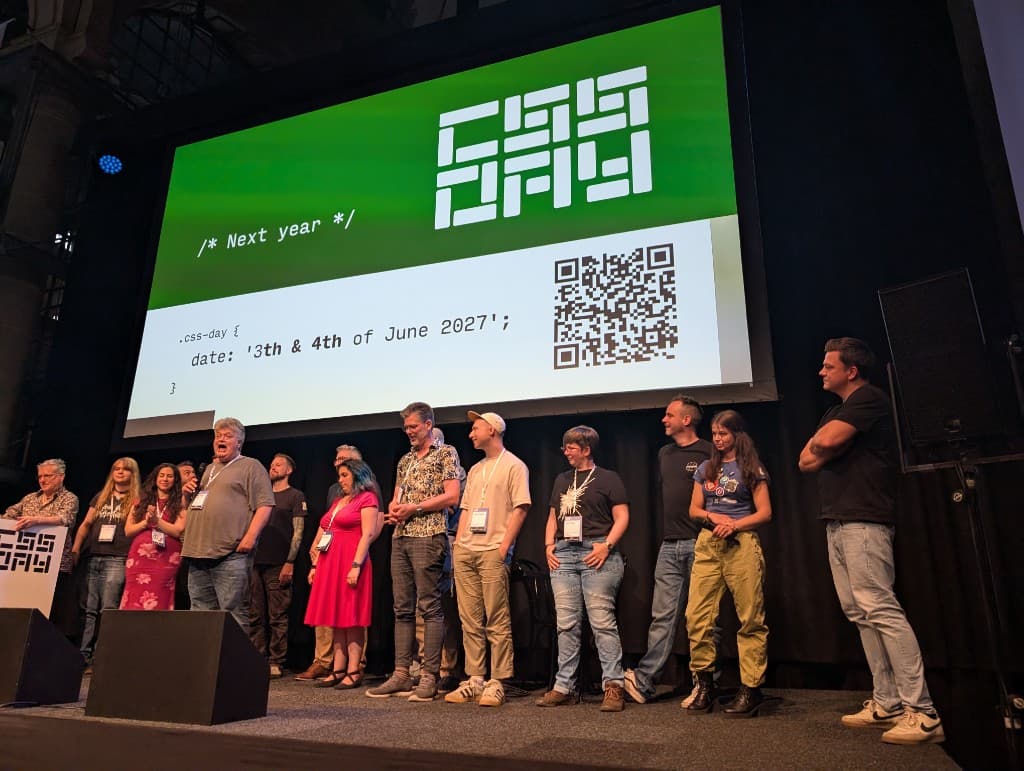
This was CSS Day 2026 - a dive in CSS geekism
This was CSS Day 2026 - a dive in CSS geekism
By Brecht De Ruyte
19 min read
Fourteen talks, two days, one city. Color spaces, a browser built from scratch, CSS that runs x86 machine code, a select that took 33 years, and a masonry layout that is finally real. This was CSS Day 2026.

- Authors

- Name
- Brecht De Ruyte
Those who follow me on the web know that I love CSS Day, it's a place where all sort of people with a love for Web UI gather to learn from each other and just geek out on the newest of the newest. With AI becoming more and more part of people's workflows I wondered how much it would impact the conference, but then it hit me. Good design and interaction, smart systems and prime experiences don't come from agents, but the people orchestrating them. I think these dedicated conferences might actually have more value than ever. I recently wrote about the importance of UI in an AI era on my own blog, but let's get to the good stuff and talk about CSS Day itself. This one is the technical rundown. Speaker by speaker, with examples and some thoughts.
CSS Day 2026 was the 12th edition in Amsterdam, 11th and 12th of June. If you couldn't make it, here's what you missed.
Boating...
The first day, I was happy being invited to the speaker's dinner on a boat. As a speaker of last year, it's a nice little bonus and in general it was fantastic to see so many people again. I'm not going to name them all, but this boat is filled with people from the CSSWG, mad tinkerers, people from big tech companies, browser engineers. Having a drink, eating some fine pasta on a boat while talking about an open issue you have on the CSSWG, what is there not to like? After a good night's sleep, time to head to church (Yes CSS Day happens in a church) and then off we go.
Day 1
The MC for day one was Bruce Lawson, he spoke last year at CSS Day. I don't want to "fan boy" too much, but through my career I've seen a couple of talks by him, even when he was still working at Opera. He is a fantastic storyteller and a great choice as an MC.
Lea Verou — What the color?!
Lea opened with a deep-dive into color spaces, and if you came in thinking you had a handle on CSS color, you left a little humbled. In a good way. Taking an academic approach to color really opened my eyes towards the strengths but at the same time pitfalls we have with all the new color spaces on the web. She actually started with the question: Why do we need that many? And to be honest, I didn't know. I mostly use OKLCH for my personal project nowadays, but there is so much more to discover.
All legacy CSS colors are in sRGB — red, #ff0000, rgb(255 0 0), hsl(0 100% 50%), all of it. The problem is that modern screens can display a much wider gamut, and sRGB doesn't get close to filling it. So we're leaving color on the table.
OKLCH is the good stuff. Perceptually uniform, device-independent, and human-readable. The coordinates actually mean something: L is lightness, C is chroma, H is hue. Here's the kind of color scale Lea showed us using OKLCH with relative color syntax:
:root {
  --color-red: oklch(54% 0.24 25);
  --color-blue: oklch(56% 0.24 260);
}

.callout {
  --color-bg: oklch(from var(--accent-color) var(--l-95) c h);
  --color-border: oklch(from var(--accent-color) var(--l-80) c h);
  --color-text: oklch(from var(--accent-color) var(--l-10) c h);
}

.danger.callout {
  --accent-color: var(--color-red);
}
.success.callout {
  --accent-color: var(--color-green);
}
One accent color, all the tints derived from it. No more combinatorial explosion in your design system. Theoretically you'd think this works, I even tried to create a generator like this before, but there is more than what meets the eye.
The gamut mapping gets weird, Lea's been on a mission to get proper gamut mapping into CSS itself, because browsers currently just clip out-of-gamut colors instead of intelligently mapping them down. The formula she showed for doing it manually with current CSS was, honestly, a bit wild:
--c-90-max: max(
  min(0.246, max((0.55 / (103 - h) + 0.015), (1 / (h - 106) + 0.031) * ((170 - h) / abs(170 - h)))),
  min(0.053, 0.8 / abs(h - 180) + 0.008),
  0.037 - sqrt(abs((h - 330) * 0.00001))
);
She admitted that this brought her closer to losing her mind than CSS ever has before. I love a bit of maths (more on that later), but this is the sort of math that hurts my brains.
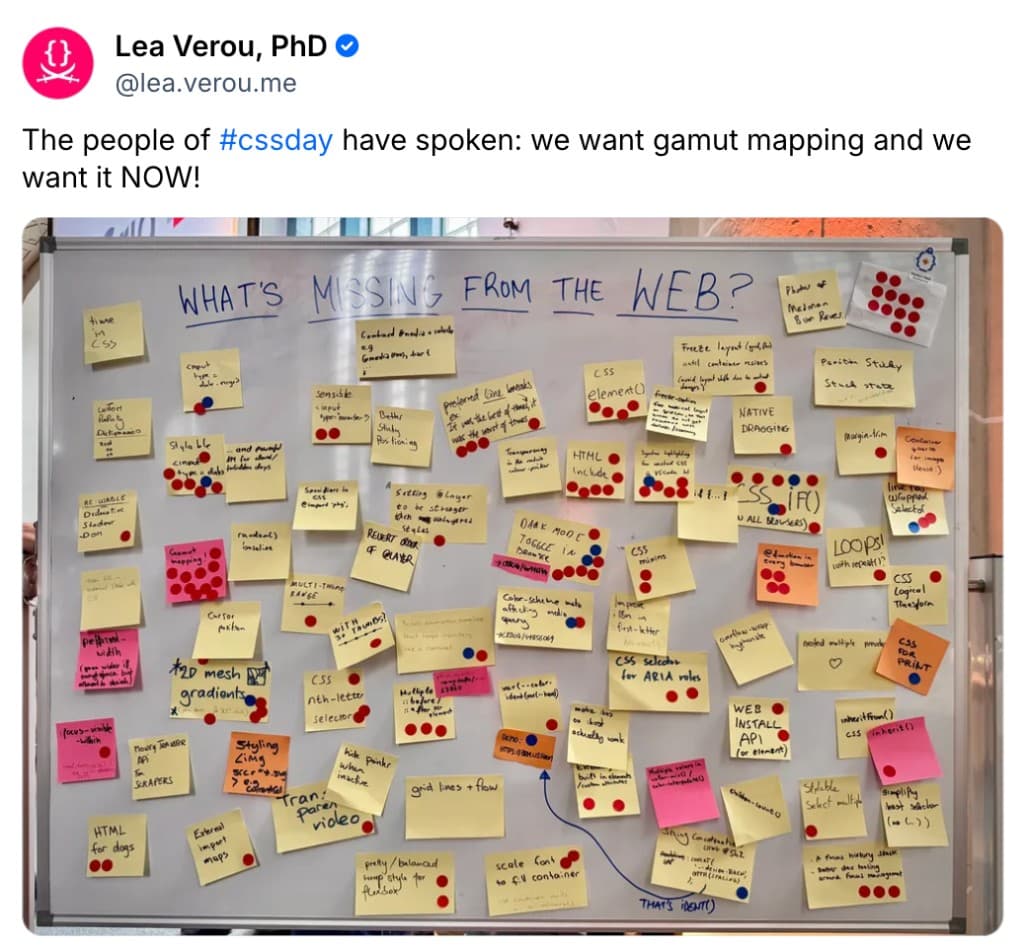
The future she's pointing toward involves a recursive @function for gamut mapping, which requires both nested function calls and short-circuit if(), neither of which exist yet. Two separate spec changes needed. She's filing issues. And with a post-it on the "What is needed on the web" board at the Google stand. A lot of votes were added to having browsers stop clipping those out-of-gamut colors.
Links from this talk:
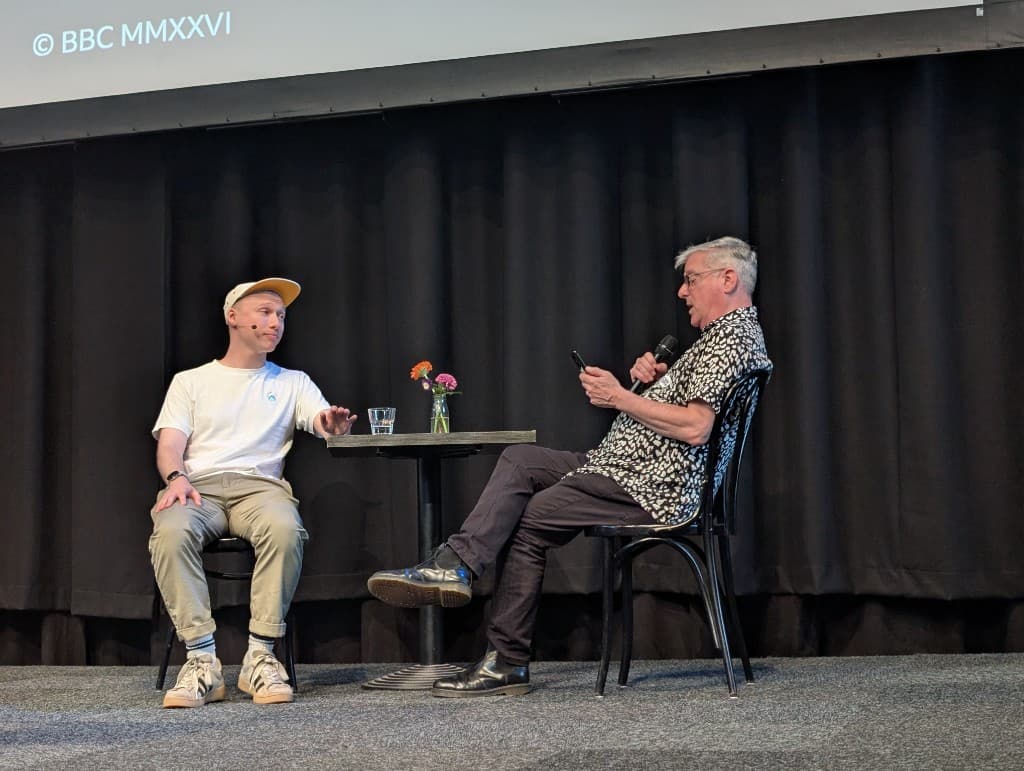
Josh Tumath — Let's fix the web's text size
I've seen Josh a few times at CSS Day, last year was the first year I had a conversation with him. He works at the BBC and is just a wonderful human being. I was hyped that he was taking the stage this year, and yes! He delivered.
Josh opened with a strong number: about 37% of users change their text scale settings on Android and iOS. And most websites are broken when they do. The issue is that "zooming" and "making text bigger" are two different things on mobile, but web developers rarely treat them differently. Josh has been working on a fix at the CSS Working Group level.
His proposal started as a new environment variable, env(preferred-text-scale). It's a nice thing to have, but imagine you having to write this in your CSS the whole time:
.button {
  font-size: calc(1rem * env(preferred-text-scale));
}
I mean... it works, but that would just get tedious.
There was also a proposal for a pem unit (preferred em), but that one just didn't fly, we already have enough units. What eventually landed to make our lives easier is a meta tag approach:
<meta name="text-scale" content="scale" />
When used, the default font size scales up, and all font-relative units like rem and em follow along, even in media queries.
His practical recommendations for right now:
- Design "mobile first, text scaled up"
- Don't override the default
font-sizeonhtmlor:root - Use
remin media queries and grid columns, notpx - Only use
pxfor spacing likegap,margin,padding - Always let content dictate height, no fixed heights
- Watch out for massive headings at high text scales
I especially loved number 4 in this list. I've been fighting that battle for some time... it's not "rem everything", that's not smart layout at all.
As a closer, the max text scale per OS is surprisingly high: macOS goes up to 350%. Most layouts out there are not remotely ready for that. Start using the meta tag now.
Jelle Raaijmakers — The value pipeline
Jelle works on Ladybird, a browser engine built entirely from scratch. Not a fork, not Chromium under the hood. Written in C++ and Rust, built from web specifications directly.
The talk walked us through the CSS value pipeline, the stages a value goes through before it ends up as pixels:
Stylesheet text → Declared → Cascaded → Specified → Computed → Used → Actual
Each stage has its own rules and complications. Animations mess up the specified value stage because animated values can be neither declared nor computed in the normal sense. getComputedStyle() returns either the computed or the used value depending on the property, for historical reasons. Percentages can have the same computed value but different used values depending on their container.
Also, apparently font-size can time-travel, and the default size of a monospaced font is not 16px, but 10px.
Ladybird is currently about 70k Web Platform Tests behind Firefox and about 30k ahead of Safari. An alpha binary for macOS and Linux is expected Q3/Q4 2026. If you care about browser monoculture, go check it out.
The Q&A ended with someone asking "Why...Why?" which Jelle took in good stride. The short answer: it started as fun, then got funded, then turned out people really want an alternative.
I'll be sure to give ladybird a spin and throw some mad CSS demo's at it. Watch out Jelle, I might be filing those issues ;)
Lyra Rebane — Putting the C in CSS Crimes
Ok, so... Lyra built a working x86 CPU in CSS. Not a metaphor, not a toy, an actual working CPU. It runs at about 5hz (the original x86 ran at 5Mhz).
Lyra started by showing games built with nested <details> elements and absolutely positioned <summary> elements. That's already a lot. Those demo's were created on Cohost which unfortunately doesn't exist anymore. But you can time travel and find some of the CSS Crimes here. We also got a fun link to a puzzle box if that's your cup of tea.
After that we got a walk-through on building logic gates, then a CPU, using custom properties in keyframes and container queries. The technique was originally discovered by Jane Ori in 2023. I'm not that good at maths... I mean, I love a little bit of math but I kinda got lost in the talk at a certain point. But don't get me wrong, I mean that in a good way! It's baffling to see what CSS can do. For me it has always been a visual tool and me stating that it is in fact a programming language. Lyra just did a mic drop on that. To close off.. It took Lyra about a week, that's just mind-blowing.
Sara Joy — Color-Scheming
Sara's talk was one of the more practical talks for most of us building real websites. Building light and dark modes in Modern CSS, and almost all of it is usable right now.
The color-scheme property alone gets you a free dark mode with zero extra work:
:root {
  color-scheme: light dark;
}
Or in HTML:
<meta name="color-scheme" content="light dark" />
System colors like Canvas and CanvasText then automatically use the right values for the active scheme. On a personal note, I should use these more often and it was a nice reminder, thanks Sara. When your system is in place, light-dark() lets you be specific:
:root {
  --brand-blue: light-dark(hsl(220, 74%, 41%), hsl(220, 100%, 61%));
}
In the future light-dark() will accept image values and gradients, not just colors. This is already the case for Firefox and Chrome will soon have this as well. There's also a if(color-scheme()) proposal that would let you write things like:
#element {
  color-scheme: light dark;
  font-weight: if(color-scheme(dark): 300; else: 400);
}
This was a real hot tip for the (near?) future. Sometimes fonts seem bolder on a dark background, having the chance to adjust this with ease is a win for people who love the details.
The contrast section was a really lovely addition. High contrast can cause pain for migraineurs. Neo-brutalist designs with stark, monochromatic patterns can act similarly to a moving grating pattern, which is a documented migraine trigger. The prefers-contrast: less media query exists for this.
In a world where we focus on "enough contrast to meet WCAG" recommendations, it's nice to see the counterpart of this. Good contrast is not the strongest contrast. For proper user control (because OS toggles aren't always granular enough), Sara demonstrated using :has() with radio buttons and color-scheme toggling, then JavaScript with localStorage for persistence. aria-pressed does double duty as both the accessibility label and the CSS state selector.
You can find the slides by Sara Joy here
Bramus Van Damme — Cranking View Transitions up to 11
Bramus kicked off the last two talks with View Transitions.
The basics: annotate elements with view-transition-name, then either use document.startViewTransition() for same-document transitions or @view-transition { navigation: auto; } for cross-document. The browser handles the snapshot and the morph.
The demo to explain this was the one created by Maxi Ferreira
This is a big API and almost a micro syntax in CSS. There were a lot of hot tips in this talk, but if you look at the demo you see the transition with the video. I really love how this was created by setting:
::view-transition-old(visual) {
  display: none;
}
::view-transition-new(visual) {
  animation: none;
}
This way you see the video through the page, the snapshot the browser takes is hidden at the start. The video on the new page does not fade-in or animate in any way and is just playing and visible. Really cool trick.
Another juicy part was connecting scroll-driven animations to view transitions using document.getAnimations() and activeViewTransition. It might be interesting to know that you can't use getBoundingClientRect() inside a view transition because they use a different Containing Block. On mobile devices the snapshot container block also contains the URL bar.
He also showed scoped element view transitions: view transitions that only apply within a specific subtree of the page, which is great for micro-interactions without affecting the full page. I will really integrate that one in the future.
And he brought back Internet Explorer Page Transitions. Which... honestly good for a laugh.
Bramus also noticed that for some of the more fancy examples he created, the code was getting a bit bloated. So, he did what any tinkerer would do and created a library for it. Here is a blogpost about the view-transitions-toolkit (find the link inside).
There were a lot of tips, a lot of tricks and resources. Here are a few more of them:
- Animate CSS Grid with View Transitions (now with expanding squares!)
- View Transitions Snippets: Getting all Animations linked to a View Transition
- full archive of his previous presentations.
Jake Archibald — Customisable <select> and the friends we made along the way
The <select> element was proposed in 1993. It is now 2026. It is finally styleable.
Jake walked through the full history: iPhone's opinionated <select> in 2007, the EdgeHTML abandonment in 2018, Greg Whitworth's research that found <select> and date pickers caused the most developer frustration, the formation of Open UI, <popup> becoming Popover, Popover creating an anchor positioning problem, anchor positioning landing, and finally CSS getting the hook it needed.
The new way (simple version):
select,
::picker(select) {
  appearance: base-select;
}

select::picker {
  /* style the dropdown */
}

select::picker-icon {
  /* style the arrow */
}

select::checkmark {
  /* style the selection indicator */
}
<option> elements can now contain arbitrary HTML. You can put a <button> in a <select>. <selectedcontent> lets you style the selected item. <legend> inside <optgroup> is now valid. Jake showed a trick using custom properties and the content property to transfer an optgroup label to an empty <legend>.
optgroup {
  &::after {
    content: attr(value);
  }
}
Here is an example of this used
And here is how you add the <selectecontent>
<select>
  <button>
    <selectedcontent></selectedcontent>
  </button>
  <option value="pokeball">
    <img src="..." alt="" />
    John
  </option>
  <option value="greatball">
    <img src="..." alt="" />
    Jane
  </option>
  <option value="ultraball">
    <img src="..." alt="" />
    Joannah
  </option>
</select>
It took 33 years. It's still not in all browsers. But we're close.
The talk also covered Popover, Invoker Commands, Anchor Positioning, position-area, position-try, and calc-size(). Jake's summary for anchor positioning: "If you use anchor positioning and you feel stupid or confused, it is not you."
This was a nice closer of the day. I think he way that Jake gave this talk was really tailored for an audience who already listened to talks for whole day. It was enjoyable, not too heavy, a nice bit of history lesson and a reminder of why nice things don't happen fast in the webstandards. I did a full series on customizable selects myself. This feature will be in all browsers by the end of this year.
Day 2
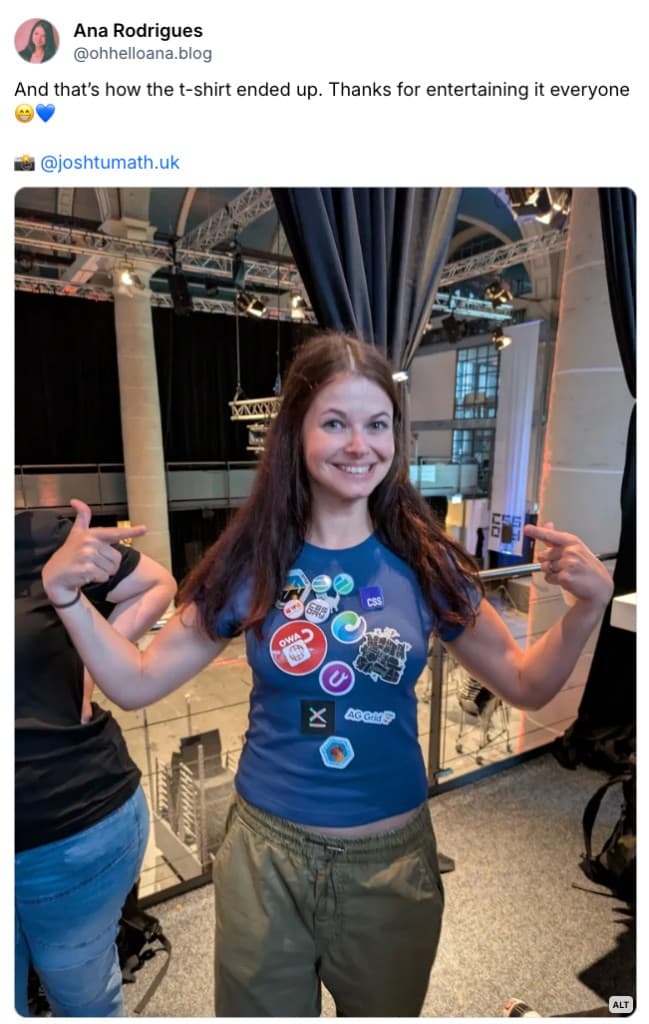
On Day two, we had the fabulous Ana Rodrigues who also spoke at CSS Day last year. A big advocate for Indie Web and just a genuinely fun person be around with. Somehow she managed to end the day as a walking billboard for stickers.
Kevin Powell — CSS is eating JavaScript
Kevin's title is a bit provocative, which I think was intentional. His actual conclusion was softer: "CSS isn't eating JS, it's simply growing into its own."
But the demos were good.
The main focus was the improved attr() function and if(). The old attr() could only be used in the content property. The new one works with any property and supports typed values:
<div class="columns" data-col-count="3"></div>
.columns {
  --col-count: attr(data-col-count type(<number>));
  display: grid;
  grid-template-columns: repeat(var(--col-count), 1fr);
}
Available in Chromium since 133, Safari TP, and behind a flag in Firefox. With this, JS can pass raw data to HTML, CSS picks it up and does the layout math. No inline styles, clear data flow.
The if() function is still Chromium-only but shows where things are going. You can branch on media queries, feature queries, or style queries:
.card {
  display: flex;
  flex-direction: if(media(width > 600px): row; else: column;);
}
.grid-lanes {
  display: if(supports(display: grid-lanes): grid-lanes; else: grid;);
}
body {
  color: if(
    style(--theme: dark): hsl(0 0% 12%) ; style(--theme: dark-high-contrast): hsl(0 0% 100%) ; else:
      #222;
  );
}
One important caveat: <url> values in attr() are blocked for security reasons. Don't try passing image URLs through data attributes.
I loved the fact how Kevin carefully did some live demos and showed some fun ways to use attr(). It's one of the features I'm looking forward to the most (and have been talking about myself). But the weather demo was a really cool one. During my life, I've always heard that Belgians are obsessed by the weather, maybe Canadians share that trait?
Slides by Kevin can be found here
Patrick Brosset — Fun with grid lanes
Masonry layout is a loaded term in CSS. It's been discussed, bikeshedded, and debated for years. One of my personal articles back in 2021 was already about the first implementation in Firefox behind a flag. Finally it's being implemented and the spec that landed is called grid-lanes. However, it works a bit differently than you might expect.
If you want to do this as a progressive enhancement, you could do the following:
.layout {
  display: grid; /* fallback */
  display: grid-lanes; /* enhancement */
  grid-template-columns: repeat(3, 1fr);
}
You can also add a feature query in there if you want
@supports (display: grid-lanes) {
  .gallery {
    display: grid-lanes;
  }
}
Grid-lanes are designed for one-directional flow, meaning the items flow through lanes in one axis, like swim lanes. Sizes per lane can differ. Items are placed opportunistically, not strictly, so visual order may differ from DOM order. There is a new property named flow-tolerance to minimize reordering issues, which is good for people who want a bit more control. In combination with reading-flow for the accessibility side this can become a really fun feature. I like masonry layouts, I don't mind bringing them back for a bit.
Safari 26.4 was first to ship. Chromium is behind a flag (#css-grid-lanes-layout in about:flags). Firefox shipped a prototype first but is still in progress.
The use cases Patrick showed were genuinely exciting: photo galleries, newspaper layouts, Kanban boards with view transitions on card moves, Gantt charts, infinite scrolling feeds with Intersection Observer. Organic layouts where you'd never want a rigid grid.
I asked Patrick afterwards how this works with column-rule and row-rule as I can't get that to work. But apparently that is still ongoing and should work in the future.
Slides about grid-lanes by Patrick can be found here If you check out the slides, really look at the example on how an item chooses where it goes, I loved that insight.
Manuel Matuzović — Breaking with habits
Manuel's talk was about questioning the things we do automatically in CSS without thinking about whether they still make sense. I found myself nodding uncomfortable at certain moments because I still use some of those. Manuel wasn't judgmental about this, in fact, he beautifully stated that CSS is evolving so rapidly that it's normal to be fall behind. However, we can do better. I really loved this talk, it was full of architectural ideas in CSS and it got me on the edge of my seat. I'll try to summarize it.
Six habits he looked at:
1. Reset stylesheets. Do we still need them? Manuel made his own: https://olicss.com and he called it ua-plus rather than a reset, because it enhances browser defaults rather than wiping them. Also check out the website fokus.dev for it.
Fokus with a K, because all good domain names were gone
2. Structure and organization. ITCSS (or BEM) as a concept is fine, but Cascade Layers make it concrete and enforceable. Establish your layer order upfront:
@layer core, third-party, components, utility;
Think of them as buckets, not categories. You're not adding buckets, you're using them. I'm showing the simplified example here, as Manuel went two levels deep in layering in some examples. It's great, I think personally I'm still a bit too much conservative and try to keep it a 1 level and only occasionally got to deeper levels. Makes me think, that's great!
3. Scalability. Modular type scales via calc() and pow(), then Utopia-style clamps to handle the responsive part. Use min() to prevent headings from going massive at large scales. I think he went a bit wild with the font scaling systems there. To be honest, I'm going to have another look at some of those techniques used. It started quite simple with a pow function:
:root {
  --scale: 1.26;
  --base: 1rem;
  --h6: calc(var(--base) * pow(var(--scale), 0)); /* 16px */
  --h5: calc(var(--base) * pow(var(--scale), 1)); /* 20px */
  --h4: calc(var(--base) * pow(var(--scale), 2)); /* 25px */
  --h3: calc(var(--base) * pow(var(--scale), 3)); /* 32px */
  --h2: calc(var(--base) * pow(var(--scale), 4)); /* 40px */
  --h1: calc(var(--base) * pow(var(--scale), 5)); /* 51px */
}
But before I knew it, there were getting trigonometric functions such as tan() and atan2() in there, inspired by Temani Afif, happy to hear that even Manuel didn't know what was happening there.
4. Color. OKLCH and relative color syntax for the whole scale. Gamut mapping (referencing Lea's talk from the day before).
5. Customization. Container style queries changing layout based on a single custom property on the html element. One toggle, entire layout shifts.
6. Componentization. Variants via custom properties on inline style attributes, not via class names.
His site matuzo.at uses all of this live, go poke at it.
Slides by Manuel can be found here. It also includes a transcript.
Niels Leenheer — CSS Doom Lasers
Niels got obsessed with a laser projector and one thing led to another and now he has built DOOM in CSS. We were able to play it at a booth as well. Play DOOM in CSS here
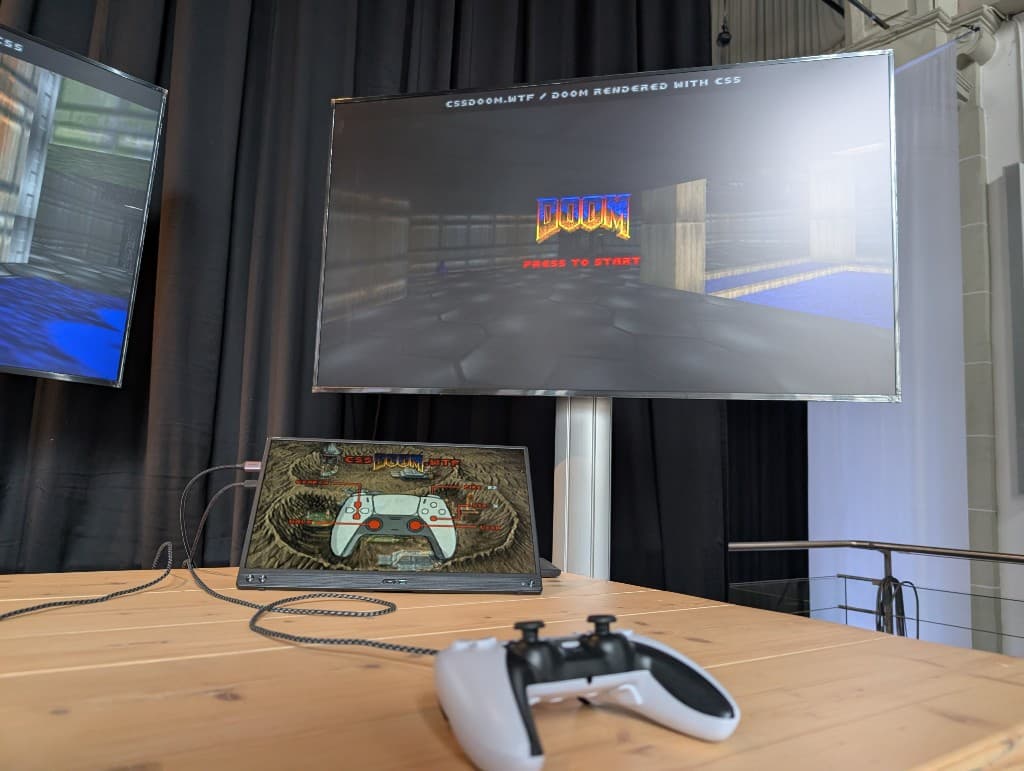
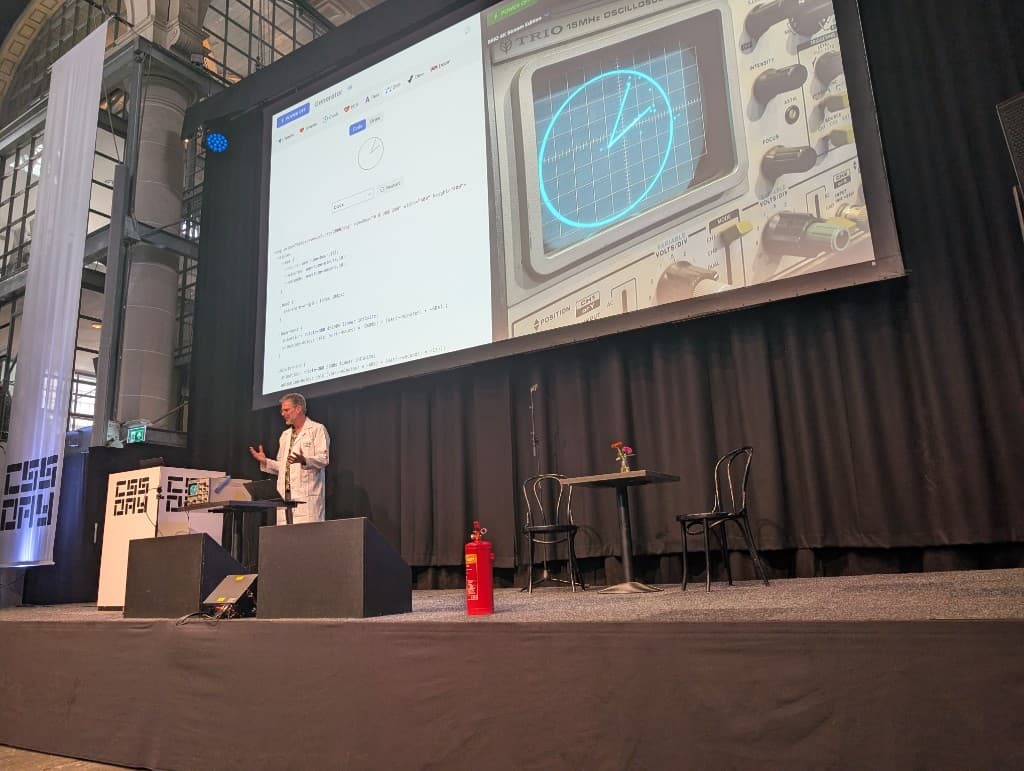
But before he got into the DOOM part of it, he talked about tinkering on the web and pushing boundaries. He used CSS animations to showcase a clock, on an oscilloscope. Also the dino game by google and yes... DOOM. He also burned an oscilloscope during the process, but assured everyone everything will be fine (while pulling out a fire extinguisher).
He also experimented with lasers and showcased them on stage, he wanted to show his flamethrower powered by CSS as well, but due to safety reasons this was not allowed. One day, we'll get a live demo Niels ;).
Ok, back to DOOM...
Every wall, every floor, every ceiling in his CSS DOOM is a <div>. Simple transforms. Trigonometry in CSS math functions. He's using the new shape() function extensively for the geometry. To prove it's really just HTML and CSS, he changed all textures to cat photos mid-demo.
The full writeup and code is on his site, which I highly recommend reading because it covers the raycasting math in CSS in a way that genuinely makes sense. And some things are actually just smart CSS such as using step animations with sprites. Good stuff.
Eric Meyer — Forging Our Own Paths
Eric opened with a rotating solar system and then spent the talk explaining exactly how it worked, which was genuinely educational. This talk was about offset-path a feature that does not get enough love and I agree. After this talk, I wish I used it more often.
offset-path is the property that places elements along a path. offset-distance controls where along that path. offset-anchor controls which point of the element gets pinned to the path (unrelated to anchor positioning, despite the name). offset-rotate controls the element's orientation.
The path itself can be defined many ways:
.element {
  /* all valid offset-path values */
  offset-path: inset(20px);
  offset-path: rect(10px 80% 90% 10px);
  offset-path: xywh(10px 10px 80% 80%);
  offset-path: polygon(50% 0%, 100% 100%, 0% 100%);
  offset-path: path('M 0 0 L 100 100');
  offset-path: shape(from 0% 0%, line to 100% 50%);
}
(I never used xywh before, that was great to discover...)
You can also use border-box, padding-box, and content-box as paths, the element orbits its own box model. Combine shape() with smooth commands and animation-timeline: view() and you get elements that glide along organic paths in response to scroll. Pretty cool. There also was this lovely demo with whales jumping out of a button. I unfortunately wasn't able to capture a link. Do check out this feature, it has full support... for a long time already. It opens a lot of creative possibilities.
Temani Afif built a converter from SVG path to CSS shape(), which is very handy.
Una Kravets — Modern UI Patterns
Una started the last two talks of the conference. If you thought it was sleepy time, think again. She came on that stage with an enthusiasm that got you right back at the tip of your seat.
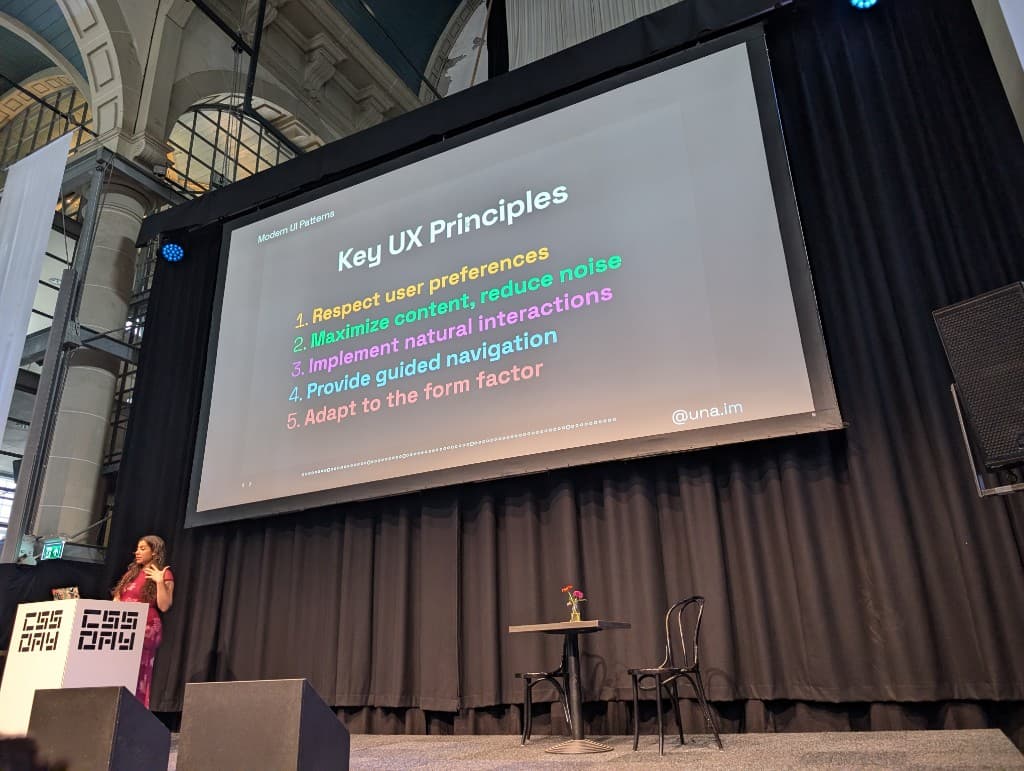
Una's talk was a tour through all the new CSS capabilities framed around five UX principles:
- respect user preferences
- maximize content and reduce noise
- implement natural interactions
- provide guided navigation
- adapt to the form factor.
A few highlights that I want to mention (the talk was packed, it was great!):
Scroll State Queries to hide sticky headers when not needed, read about it here:
@container scroll-state(stuck: top) {
  .sticky-header {
    /* header is stuck, do stuff */
  }
}
Interest Invokers for hover-triggered popovers without JavaScript. Even if they are not supported everywhere, there is a polyfill. However, the polyfill does not work on mobile devices:
<button interesttarget="my-tooltip">Hover me</button>
<div id="my-tooltip" popover="hint">Tooltip content</div>
border-shape, which lets you plug shape() directly into border geometry to get truly custom border shapes that aren't border-radius. She wrote a great article on border shape earlier this year
sibling-index() for staggered animations:
.item {
  animation-delay: calc(sibling-index() * 100ms);
}
Scroll-triggered animations (distinct from scroll-driven) for direction-aware entrance effects.
There were also some hot tips like setting scale: .95 on :active. It sounds simple but it genuinely makes buttons feel much better. Same with a filter: blur(8px) in the middle of a keyframe, it adds a sense of physical weight.
I personally had some fun with scroll-triggers and scroll-state as well, but I believe that what Una brought was more than the feature, there were some really beautiful examples in there with design that just popped and in other cases where there were subtle animations that just gave everything that finishing touch. So much inspiration in one talk.
All demos available at https://codepen.io/collection/myqqRY.
Adam Argyle — Contextualism
Adam closed the conference and did it with energy. The alternative title he mentioned: "Our design systems suck." And honestly, not wrong. He asked us to look at every slide and wonder "am I doing this, or not". Truth be told, my first reaction: "Ok, Adam, bring it on!". It all started quite allright, I was being smug, but before I knew it, he went on about "do you style the pee-yellow autofill colors of a form"... Darn it, Adam, you win!
The core argument: components should know where they are and who they're with. CSS now gives us the tools to make that happen.
Follow along at https://css-day-2026.netlify.app/. This is an extension of his earlier post https://nerdy.dev/components-can-know.
A grab bag of things CSS now knows:
orientationmedia feature for landscape/portrait- Named container queries that pierce shadow DOM
:has()for quantity queries@scopeproximitycurrentColorfrom the inherited cascademin-content,max-content,fit-contentfor intrinsic sizinginterpolate-size: allow-keywordsfor animating between lengths and keyword sizessibling-index()for staggered effects:playingcombined with:has()for media-aware components:autofillfor styled autofill statesscroll-state(snapped: inline)to know if something snapped::target-textas a pseudo-element
The nested radii example was a good one. Getting inner border radii to match the outer ones is always a manual calculation. Adam showed how CSS math can automate this:
.outer {
  --radius: 16px;
  --padding: 8px;
  border-radius: var(--radius);
}

.inner {
  border-radius: max(0px, var(--radius) - var(--padding));
}
He also released a library that day called: https://prop-for-that.netlify.app/: a catalogue of things JS knows that CSS could potentially know too. Good one to bookmark. I'll be sure to give that one a spin real soon.
I started this article with a post I wrote about Web UI being a human thing, not a machine thing, I was running with that thought for a while, but it was this talk that really pushed me into writing about it. This was the best closing talk you could think of, highlighting some of the features talked about through the conference, kicking our asses saying we need to do better. I enjoyed every minute of this.
CSS Café
As by tradition, On Saturday, we have CSS Café, hosted by 9 elements. I'm not going to go in detail on this but it's nice to see some of the CSS people turning up for that one as well.
The line up was:
- Bram.us with his talk Anchors Aweigh (about anchor positioning)
- Marco- Christian Krenn about Colors as relationships (fun demo here)
- Brecht (me), doing some research for Open UI's enhanced range slider
- Christian Schaefer on turning CSS Carousel as a theme switcher.
If some of the attendees are reading this, let me just express my thanks once again for the fantastic amount of feedback you've given on the range sliders. I've already created a bunch of issues at Open UI and updated examples. I'll process some more in the coming weeks.
The theme
If there's one thread running through all of CSS Day 2026, it's this: CSS has been doing a lot of growing up. Color is deeper, layout is more capable, form controls are finally controllable, and we are able to write some (really really really) deep logic.
The honest thing is that most of us will need a year to actually absorb half of what was shown. grid-lanes, interest invokers, gamut-mapped OKLCH scales, offset-path trickery, these aren't all things I'm going to use on Monday morning. But knowing they exist changes what you reach for.
And now in an age where AI is a daily thing, are you really going to do company branding using the same bootstrap kind of layout? Or are you going to push boundaries? Work on subtle animations? Go beyond and create an experience your customers will remember? Are you going to be part of the pack? Or stand out? It's time to take things to a next level.
A special thanks to all the speakers and people who were there. I had a blast talking to each and everyone of you. I tried to summarize some of your great contributions to this conference, I hope I did well because it's hard, there was a lot of info and a lot of love at this conference. Also a shout-out to Polypane, the Google booth, and 9 elements
See you at the next one?